Save it on your phone. Read it on your computer.
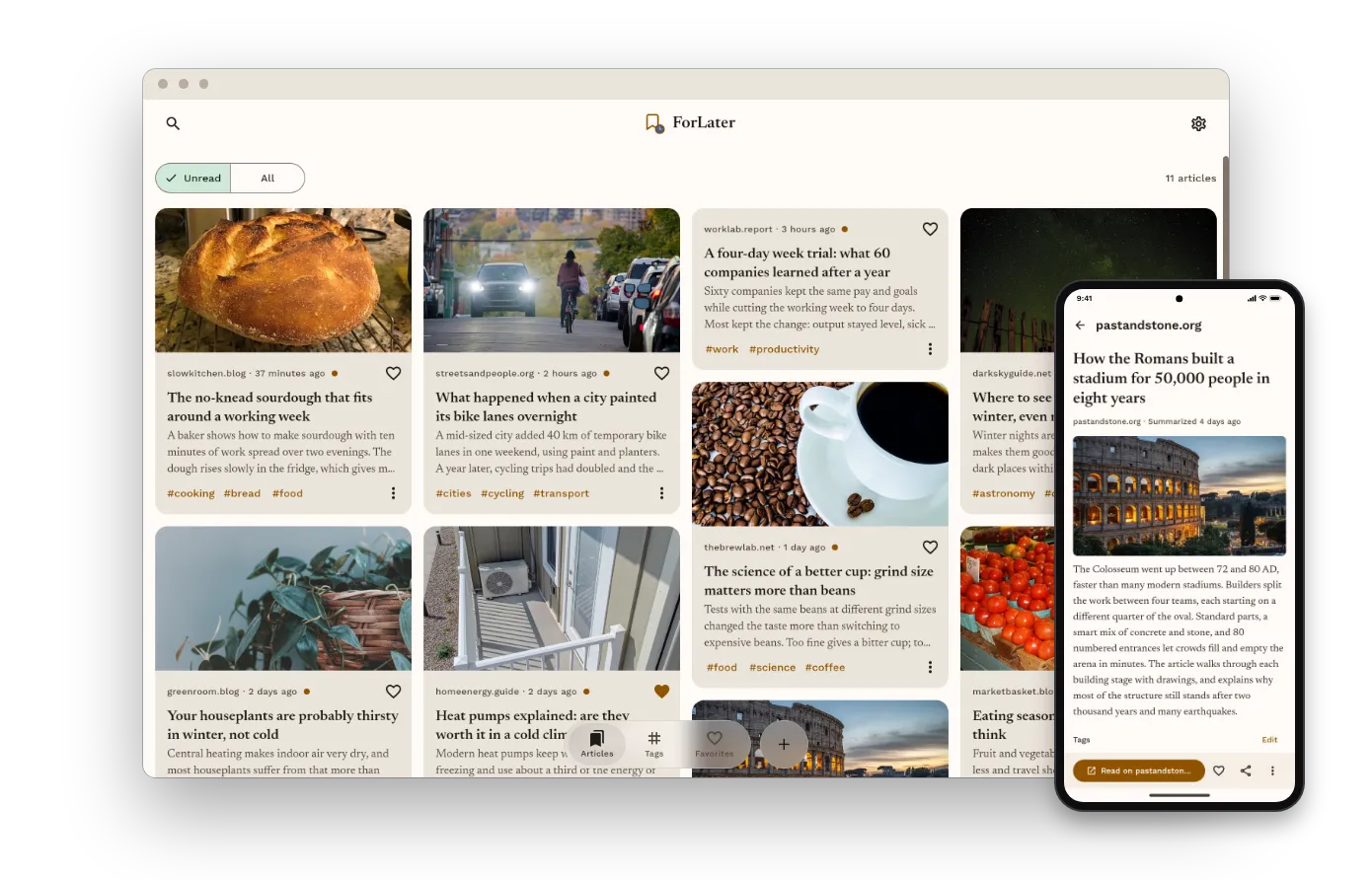
ForLater for your computer is the companion to the phone app. Everything you save on the go is waiting on your desk, already summarized, and your list stays in sync both ways.
Get ForLater for your computer
Sign in with the account you use on your phone. New to ForLater? Start with the phone app.
On the bus, you share three long articles to ForLater. You read their summaries on the way, and one of them deserves your full attention. Just not on a small screen.
At your desk, you open ForLater on your computer. The three articles are already there, with their summaries, their tags and the star you gave the good one. You read it on the big screen.
It works the other way too. Find an article at work, copy the link and choose Add a link. When you leave, it's on your phone.
Your whole list, already there.
Sign in with your account, and every article you saved appears with its summary, tags and notes.
In sync, both ways.
Star, tag or read an article on one device, and the other one shows it.
Long reads, big screen.
Read the summary on your phone. Read the full article where it's easy to read.
Save from your desk too.
Copy a link and choose Add a link. ForLater fills it in for you.
Download ForLater for your computer
macOS
Coming soon.
Version ,
Apple silicon (M1 and later) IntelOpen the zip and drag ForLater to your Applications folder. Not sure which Mac you have? Open the Apple menu > About This Mac: “Chip: Apple M…” means Apple silicon.
Check your download against the SHA-256 checksums.
Windows
For Windows 10 and 11, ForLater is coming soon to the Microsoft Store.
Linux
Coming soon.
Version ,
Debian and Ubuntu (.deb) Other distributions (.tar.gz)Install the .deb with sudo apt install ./forlater_*_amd64.deb.
For the .tar.gz, extract it and run forlater/install.sh. It installs ForLater for you, with no
administrator rights, and adds it to your app menu. uninstall.sh removes it again.
Check your download against the SHA-256 checksums.
Start on your phone
Install ForLater on Android from Google Play. Share any article to it from your phone, and it's on your computer too.